
Interior design is a vast field that is constantly revolutionising every day. AI interior design tools have also become increasingly popular in this field. These tools are great for making the work much more efficient and streamlining the workflow. AI interior design tools are excellent for professional interior designers, homeowners looking to redesign their homes, and even real estate agents. There are many different AI-powered interior design tools available online; however, among them, X-Design AI Agent is one of the best.
If you are wondering how X-Design AI Agent can help with interior design, then don't worry because we've got you covered. So, let's jump right into the article and have a look at it.
What is an X-Design AI Agent?
X-Design AI Agent is one of the platforms that are now offering advanced and impressive tools to create compelling images. This tool is packed with numerous features that make the entire process very simple and efficient. It utilises AI-powered interior design to generate highly professional photos, allowing you to have a clear vision of your belongings. Below, we have mentioned some of the most significant features of X-Design AI Agent.
Style-Specific Design Generation
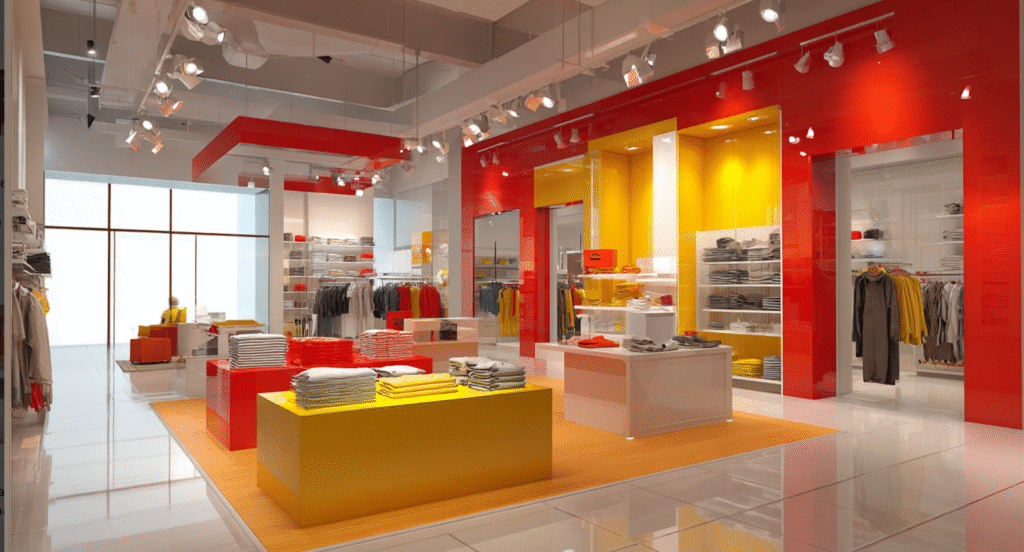
The first feature is the customisation that you can do here. You will be able to use a lot of different styles and designs here. From modern to fancy and minimal design everything is available on this platform. You can customise other things as well such as the lighting to the images, altering the background of the photos, upscaling the image quality, and several more, meaning you can customise the image to your needs.
Object Replacement
Are you tired of manually removing different objects from your interior design images? Now you don't have to worry because X-Design AI Agent has you covered. They have a feature that allows them to automatically remove or replace objects, particularly those well-suited for interior design, making it ideal for virtual staging and home renovation.
Multi-Variant Option
They also have a multi-variant option that makes the entire process straightforward. This means that you can create several different variants of the same image. You can change the styles, colours, and even layouts of the photos. You can have high-resolution exports, which will make it very easy to change the settings of the images.
How X‑Design Streamlines Interior Design Workflows?
If you are wondering how you can do Interior designing with AI, then don't worry because X-Design AI Agent is here to help you out. Below, we have mentioned some of the things that will help you streamline the workflow.
Quick Concept Generation
The X-Design AI Agent is designed to provide images quickly and efficiently. Thus, you can shorten the process by submitting multiple design concepts. Simply enter the design and style information to the tool, and the AI will provide photos based on its interior design knowledge. That's a substantial time savings.

Prompt Refinement
The user-friendly software also provides real-time editing and prompt refinement. So designers can refine colour, lighting, and textures of elements with text prompts in the moment. You will preview the variations immediately without any interruption. This is a great feature to work better and more collaboratively in changing the AI interior design.

Virtual Staging for Real Estate
Real estate agents can also benefit from the X-Design AI Agent due to its virtual staging capabilities. You can digitally furnish the spaces, showcase the property, and highlight its potential by setting them up at lower costs and enhancing marketing efforts. The buyers will also be able to see the final result of the property.
Layout Optimisation
This tool also features a layout optimisation option. This means that the tool itself can create the proper layout for the furniture and other items in the desired arrangement. This makes the entire process much faster and easier for the interior designer.
How to Use X-Design AI Agent for Interior Designing
Now you might be wondering how to use this AI interior design tool to create images. Don't worry, as we have outlined all the steps you can follow.

Open the Tool
The first step is to launch the tool. You can visit their official website and start with the entire process.

Upload the Image
Next, you need to upload the image of the room that you want to redesign. You must upload clear and proper photos of the space so that the tool can easily understand it.

Input Design Preferences
It’s time to enter your own preferences. In this stage, you can customise all the specifications, such as tile colours, carpet textures, the number of rooms or plants, furniture placement, etc. It’s a key point where you can easily mix styles and designs to arrive at your best solution.

Review & Edit
Once you have added all the various prompts, you will get different variations. Here you can easily edit the images to your liking. You can change the lighting, textures, and other things to create a seamless AI interior design.

Export and Share
Once you are satisfied with your designs, you can export the images in high resolution. You can even share these images with your teams so that everyone has an accurate visual representation of the designs.
Final Words
When it comes to interior design, the use of AI has become quite popular. This software offers numerous features. Among these tools, X-Design AI Agent is one of the best AI interior design tools, making it very easy for you to design a space and share it with others. There are numerous features, such as layout optimisation, editing, and more, that make the entire process faster and easier. We hope this article helped you and now you ill be able to create unique interior designs.